Sneaky Address Fields

Quick tip this week!

The address field data type inside of Salesforce is made up of five constituent parts:

  1. Street
  2. City
  3. State
  4. Postal Code
  5. Country

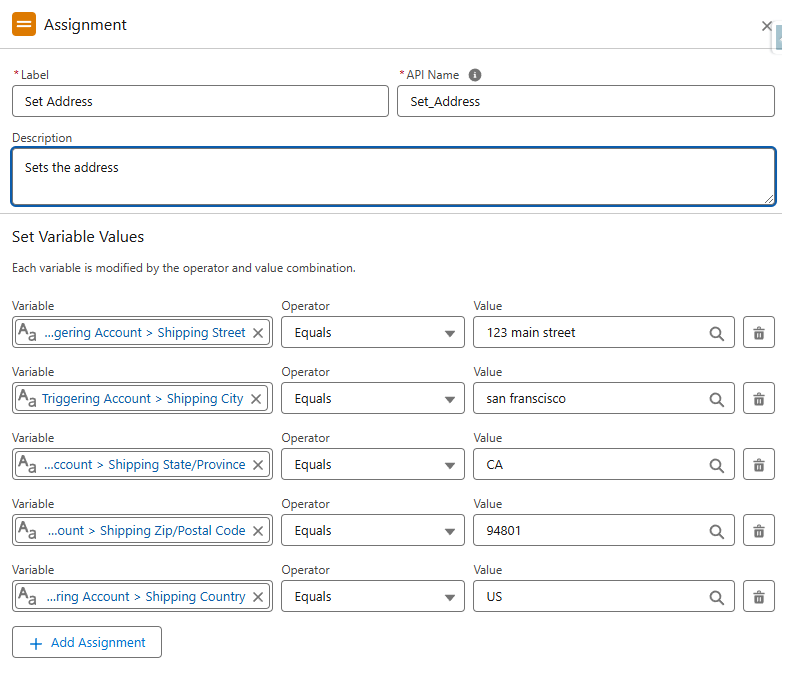
When setting the values of an address field inside the Flow Builder, you must work with the parts individually.

For example:


Set fields one by one

You can see above that the assignment sets each component part individually.

This will successfully update the address in the flow.

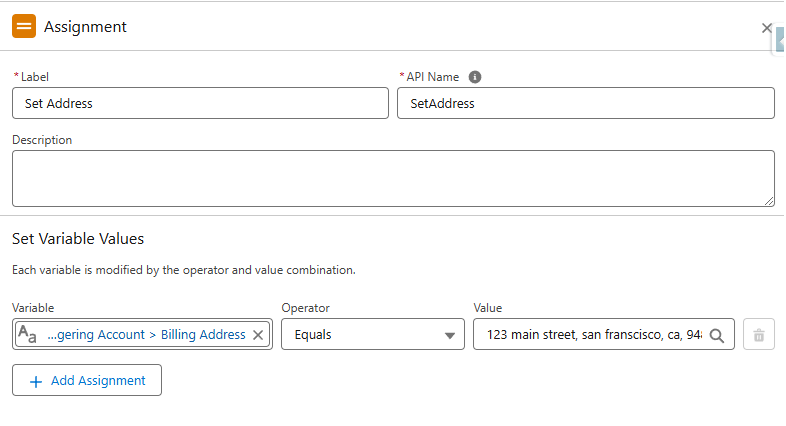
Below, you can see the incorrect approach:


Directly setting the full field is a no-go

Logically, there's nothing wrong with the approach in the screenshot above.

It seems to make sense that you could set the whole address field at once.

And the flow builder will even successfully debug!

But if you activate and test this flow on an actual record it will throw an error at run time.

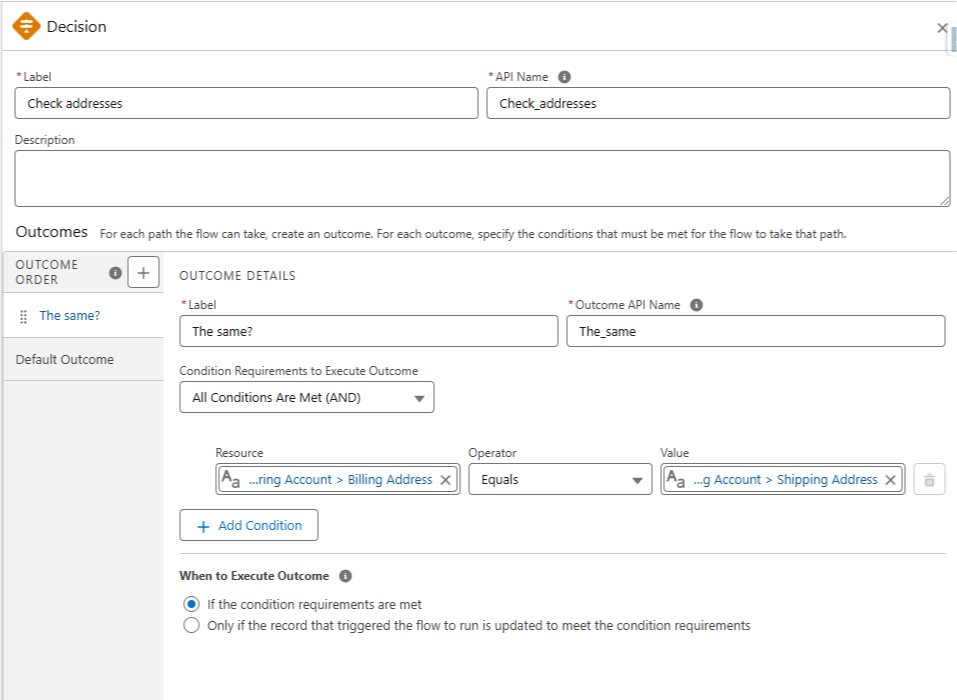
This is also true when you're comparing addresses (like in a Decision element).

You have to compare the individual address parts rather than the entire field.

The below example would not function as expected:


Direct comparison doesn't work

Once again, the flow will run, but it would not successfully compare the actual address values.

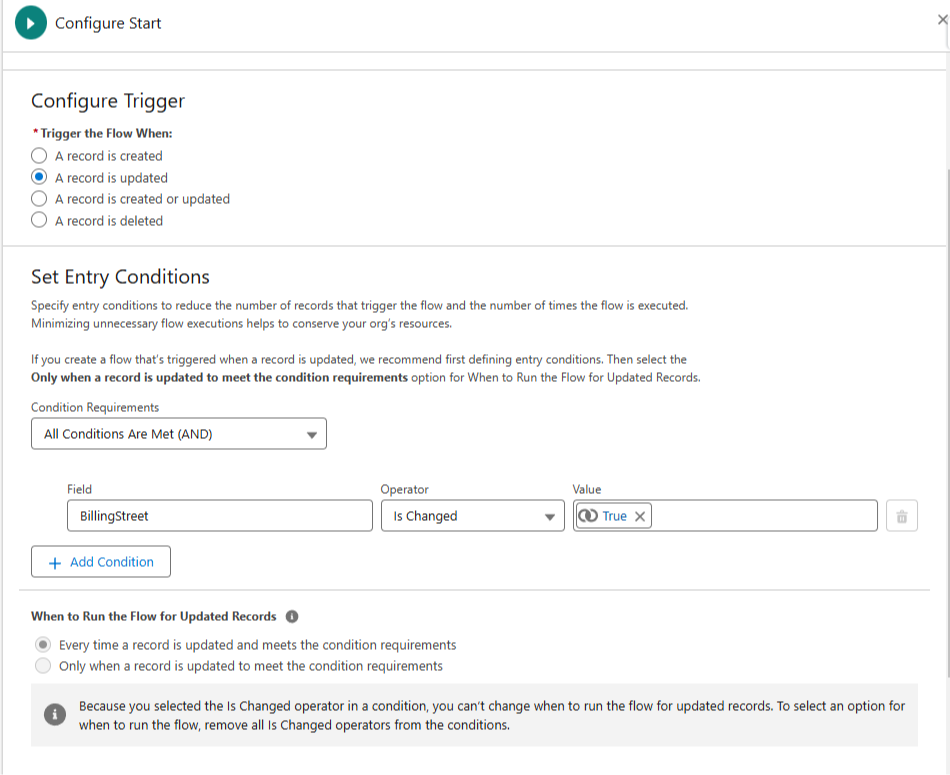
And one final example.

If you want to trigger a flow when an address changes — then you must trigger off one of the constituent parts (like BillingStreet).


Notice this start element looks at BillingStreet

Triggering on the full "BillingAddress" field would not work as expected i.e. the flow doesn't fire at all.

Now I can't really explain the underlying why behind all this (yet).

But I can say it's good to know addresses function like this because its frustrating if you don't know what's going on and are getting bugs.


Hope it helps!


Best,

Nick