|
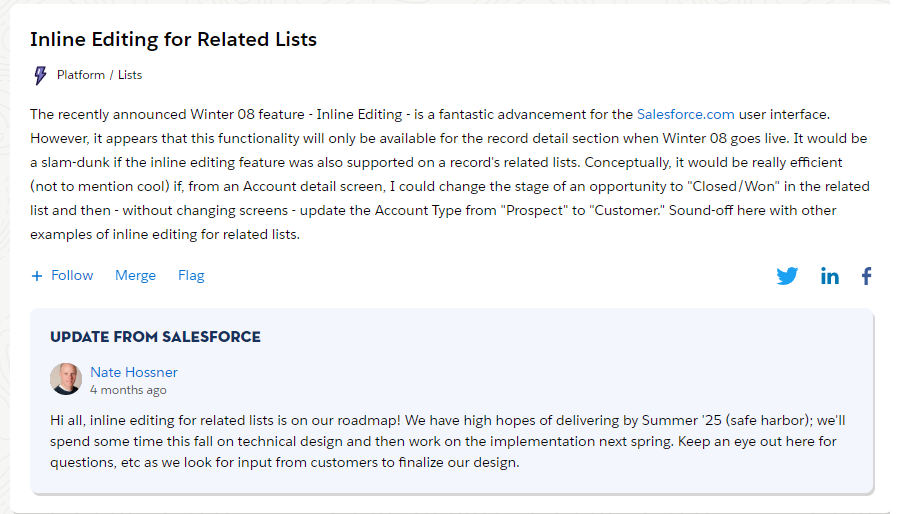
Source
On the downside, Summer '25 is not today which, coincidentally, is when clients want the features I'm working on ready by... (kidding!)
What to do?
You could build a Lightning Web Component to provide inline edit capability.
And, as I will never get tired of telling you, with AI tools this is easier than ever.
But maybe you don't want to build a LWC.
No problem! You can use an awesome AppExchange app called Smart Lists.
Here are some highlights:
- It's free
- Allows inline edit
- Allows exporting any related list to CSV
- Build data source using SOQL
- Supports editing picklists (amazingly inline edit in LWC doesn't do by default)
- Easily drag and drop onto Lightning Page
- Customize your lists using custom metadata
- Can show a list as a data table or as tiles
- Supports custom actions
- Can use SOSL search on related lists
- Usable in screen flows
It's powerful!
If you're familiar with custom metadata it's fast to setup.
If you're not familiar with custom metadata, there will be a bit of a learning curve.
Don't worry though, the learning curve is not too steep and it pays dividends forever.
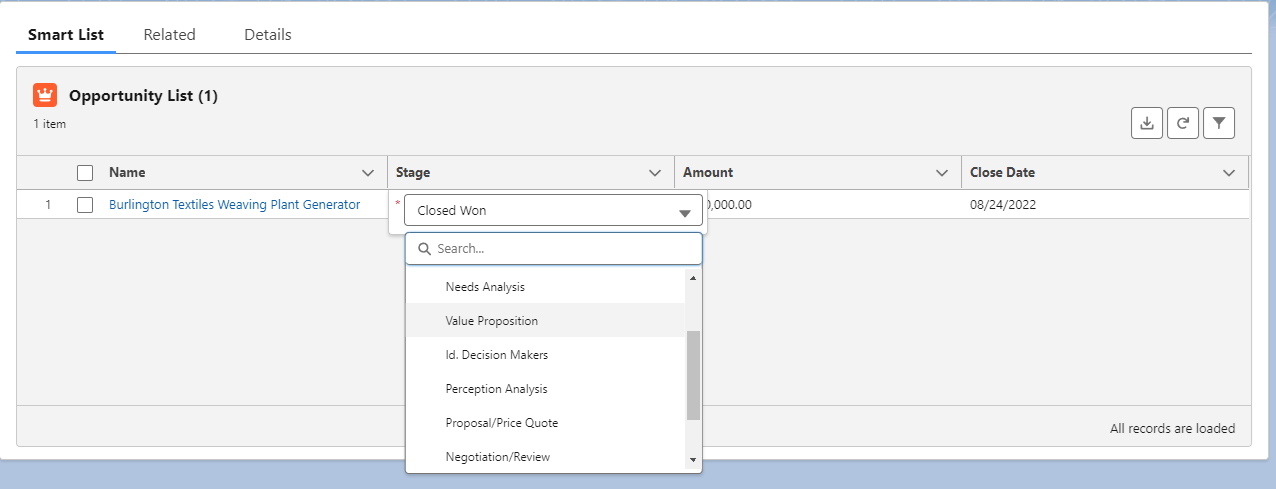
Here's a simple Smart List I set up to edit Opportunities from the Account page.
You can see I'm able to edit the stage right from the list.
|