How to Build a List Email Metric Report in Salesforce

A client asked me this week, "Is it possible to see what emails were delivered or bounced from a list email campaign?"

The answer is yes!

And the solution is way easier than you'd think.

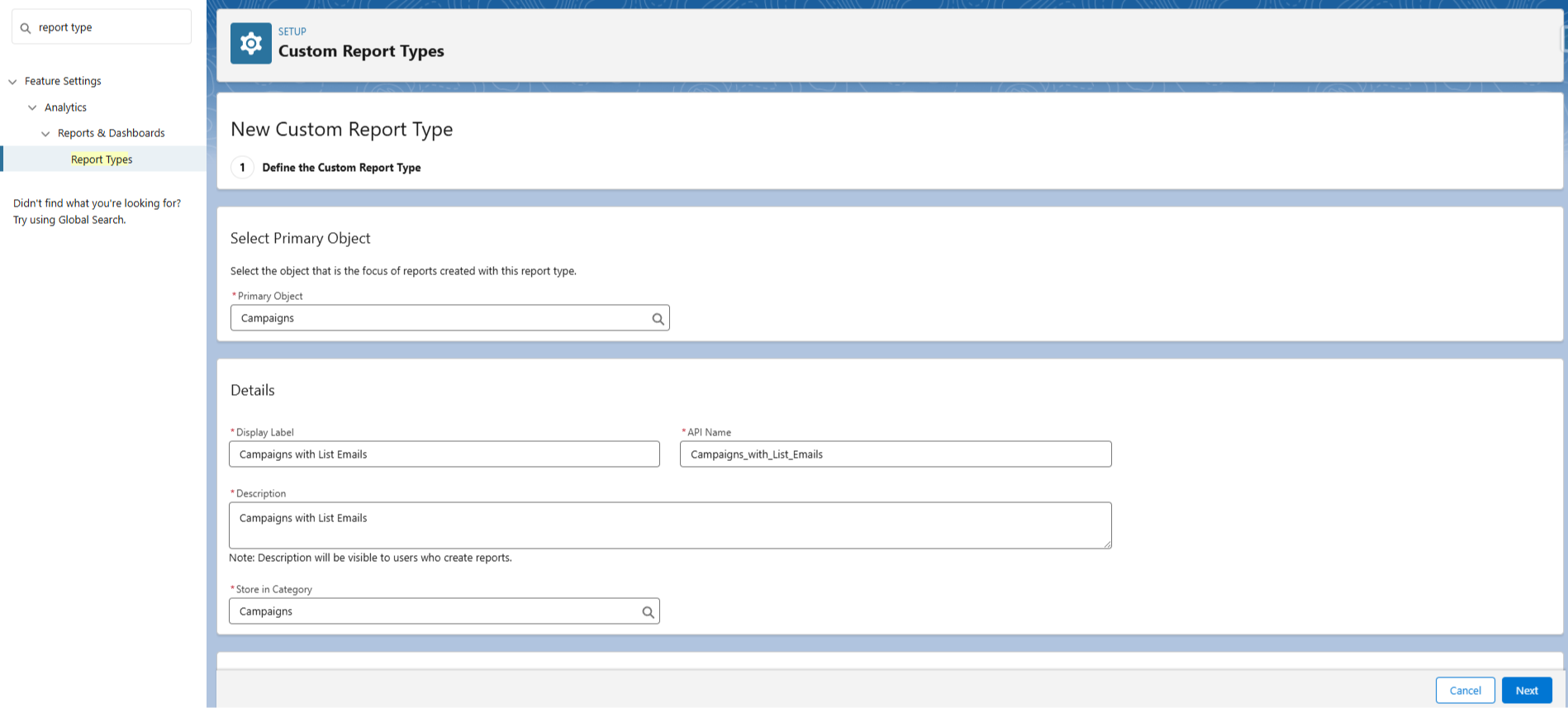
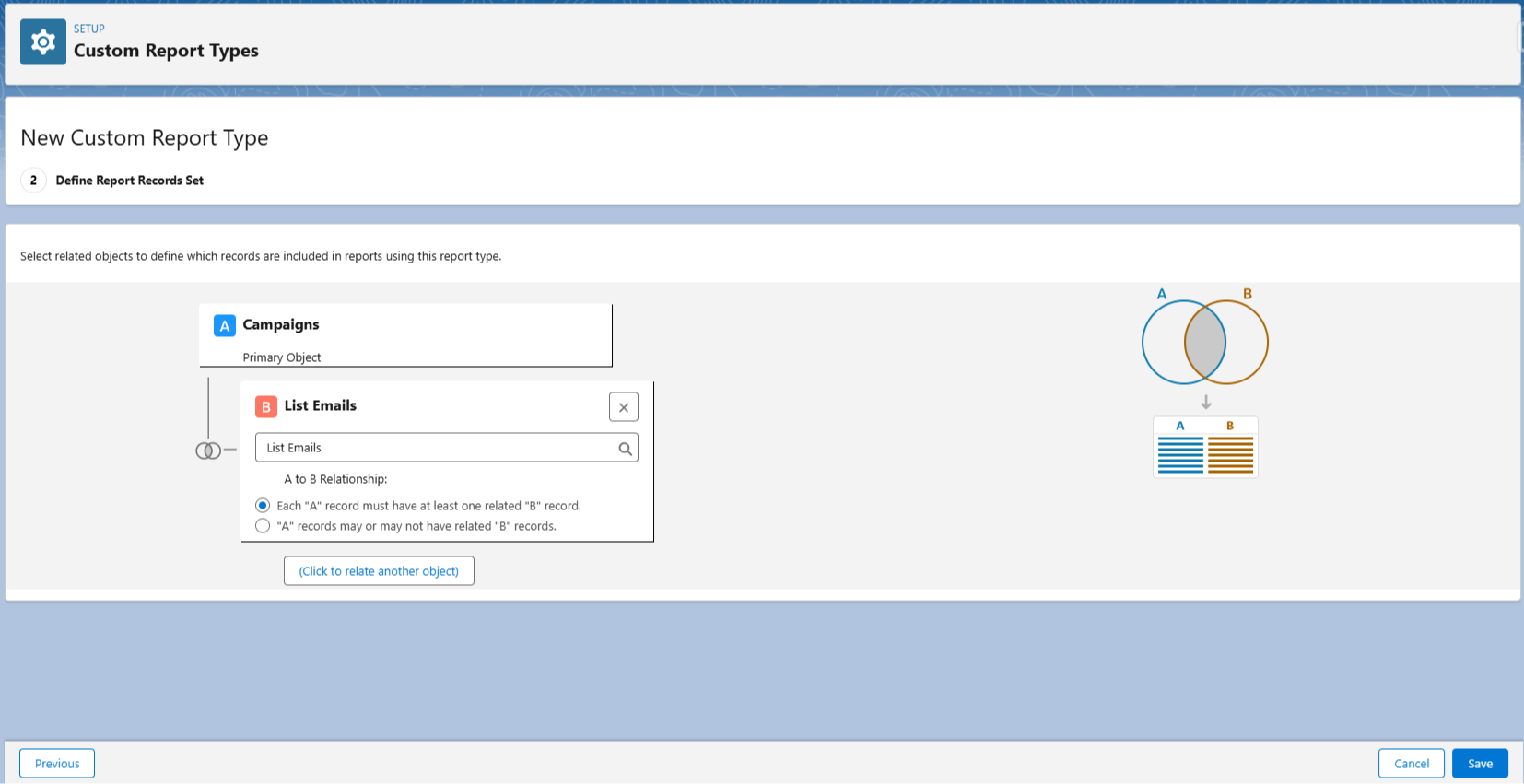
First, we create (and save) a new report type in Salesforce using the standard Campaign and List Email objects.

Name it something like "Campaigns with List Emails".


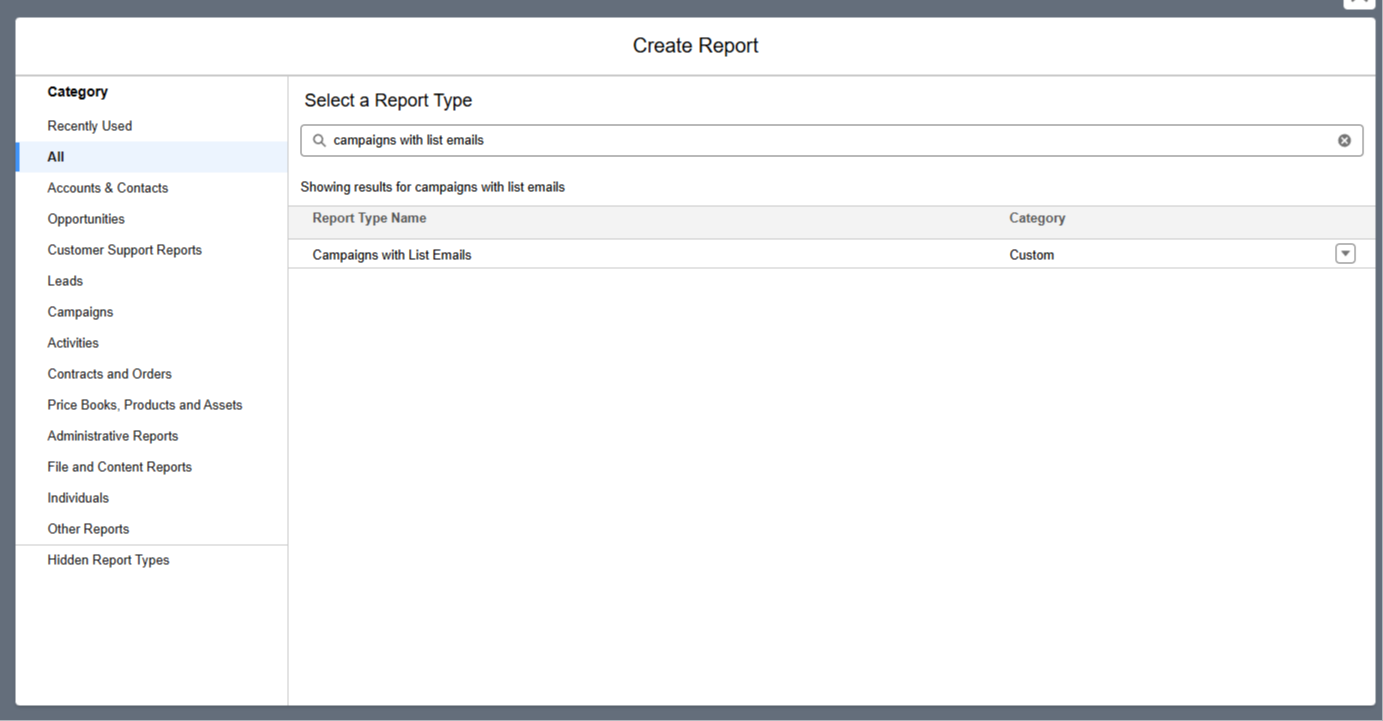
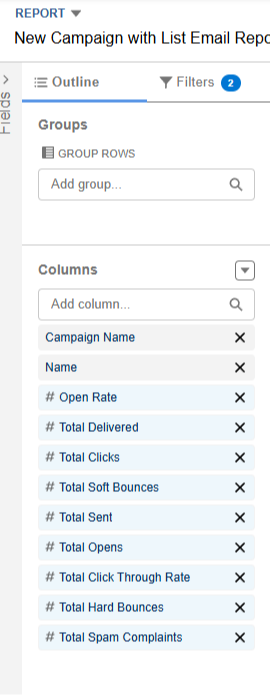
Next, we create a report using our new report type, and add all the list email fields to the report.


With that done, we can run our report for all our campaigns, or just choose one in specific.

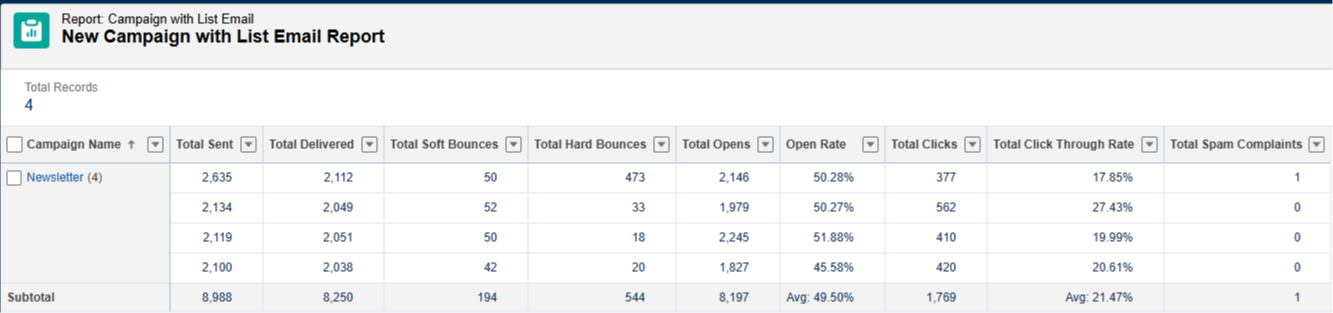
In this screenshot we filtered to show the results of an email campaign called "Newsletter".


As you can see, key fields like Total Sent, Total Delivered, Soft and Hard Bounces, Total Opens, Open Rate, Click Through Rate, and more are all included in this report.

And that's it!

Marketing metrics like this are key for gauging the success of an email send, and you now know how to quickly build this report in Salesforce!


Hope it helps.


Best,

Nick