πŸ“ Creating PDFs in Salesforce

We all know Salesforce has limitations.

Sometimes you want to achieve a result that, on the surface, seems simple.

...and you hit a wall.

This came up for me recently when a client asked to turn a Salesforce account into an exportable PDF, saying the out-of-the-box solution wasn't great.

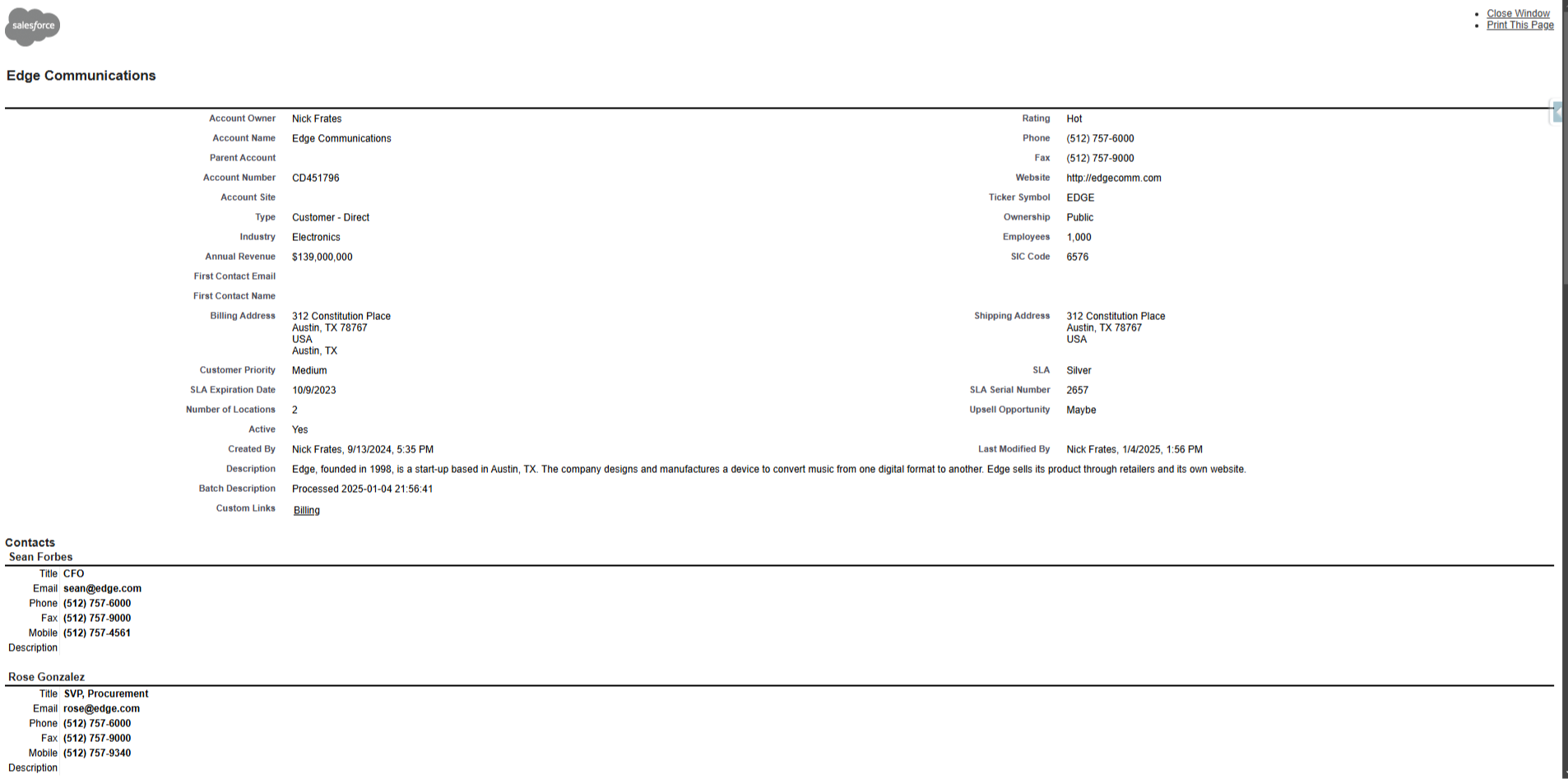
And I have to agree β€” the "Printable View" button provided by Salesforce leaves a lot to be desired:


Welcome to 2007

Fortunately, the cost of development is rapidly dropping.

In the near future it might even be close to zero.

Which means for most Salesforce development challenges, there's a good chance an LLM can walk you through a solution.

In this case, I learned we can import open source libraries into Salesforce for things like PDF generation.

Specifically, there is a library called jsPDF-AutoTable to make simple documents, like invoices and tables.

I asked ChatGPT how to get it working inside Salesforce and the LLM had me download the source code to get started (at the bottom of this Github page if you're interested).

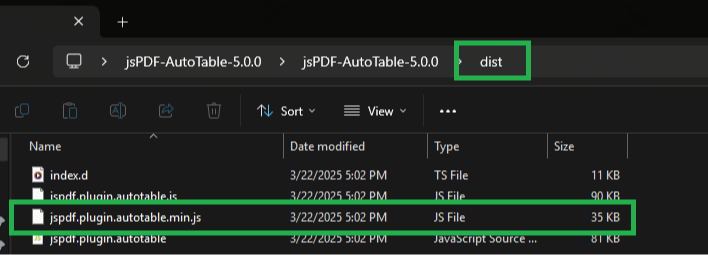
I opened the download folder and found the "dist" folder in the directory.

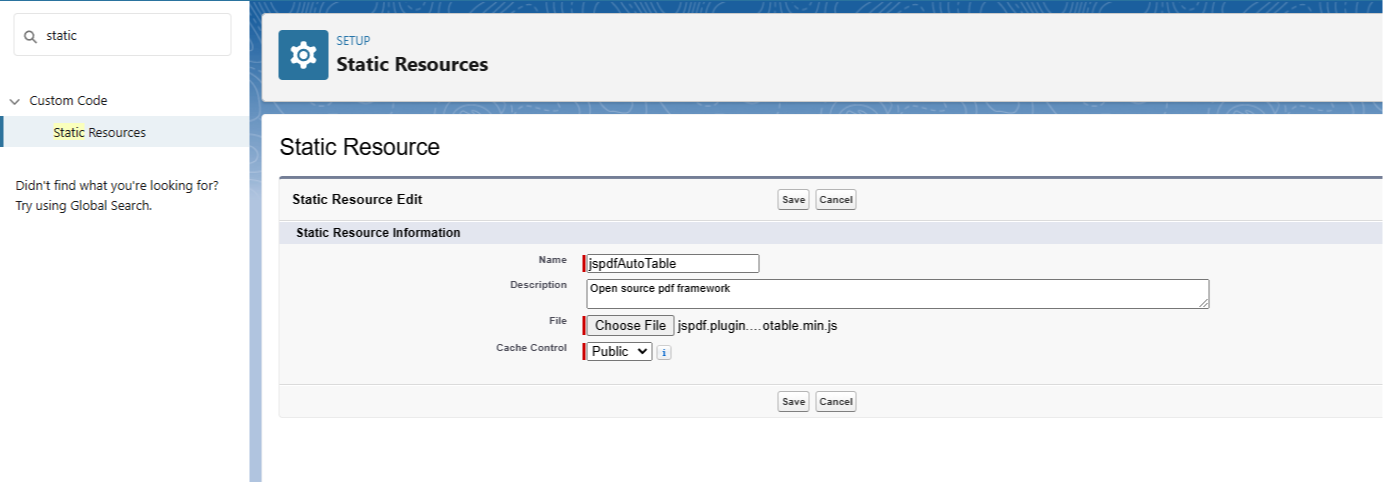
Then I opened the dist folder, found the jspdf.plugin.autotable.min.js file, and uploaded it into Salesforce as a static resource.

(Screenshots below in case you want to do this yourself).


With that done, the library was inside Salesforce and ready for use.

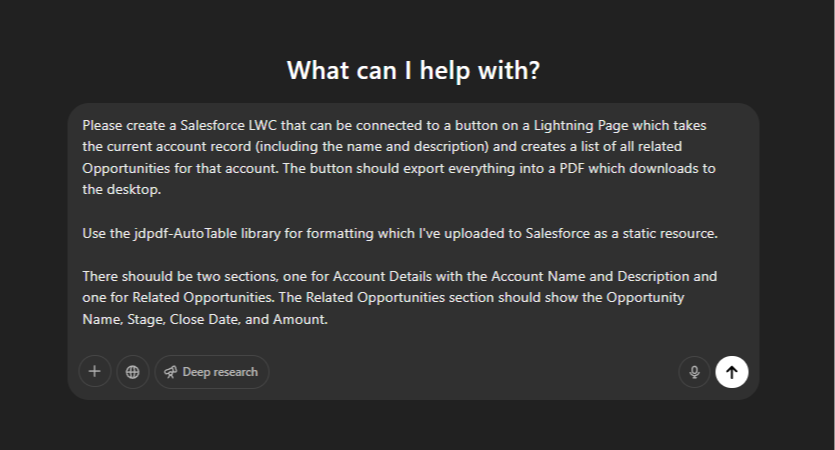
Next, I simply confirmed with ChatGPT that I had done the upload successfully and asked it to write an LWC to export an account into PDF form with a section for Related Opportunities.

If you want to try it, a prompt like the one in the screenshot would do just fine:


The first attempt by ChatGPT got me 80% of the way there (the LLMs still don't one-shot most of the LWCs I ask for).

And with some minor tweaks I got a respectable "version one" for the client.

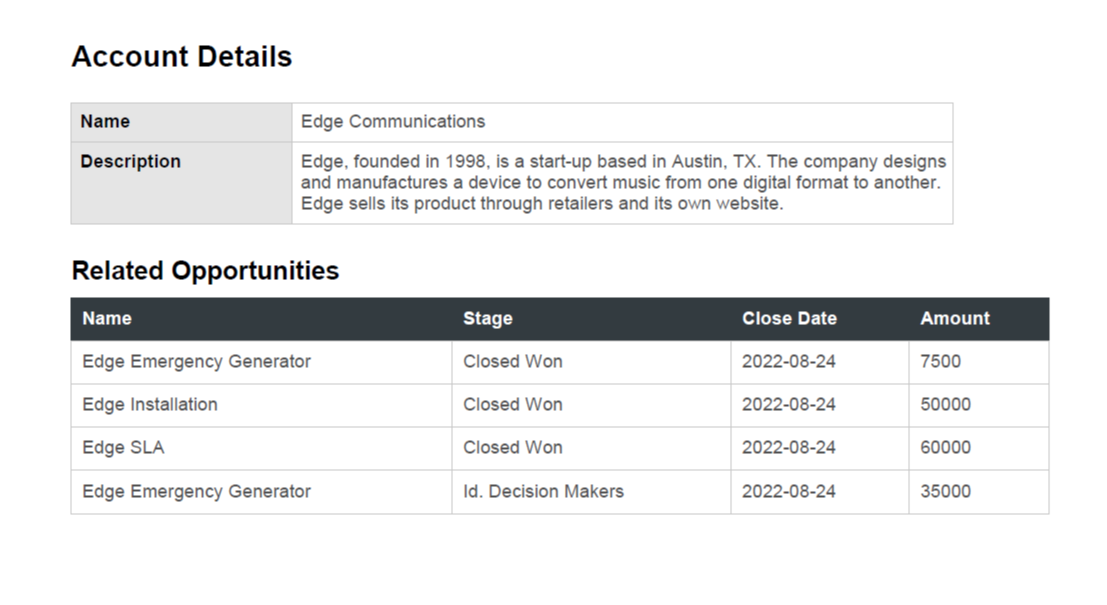
You can see an example of the PDF below. 


Not bad!

In total, it took about an hour from me never having heard of jspdf-AutoTable to sending a prototype to the client for review.

Fun stuff!

Some key takeaways to wrap this up:

  • We can import open source libraries into Salesforce to extend functionality, like jspdf-autotable to create PDFs
  • d3 is another example of an open source library that makes awesome visualizations and can be imported
  • As development costs drop, building bespoke solutions gets easier and cheaper
  • A little development knowledge (how to use VScode to deploy an LWC) goes a long way!

Would quickly generating PDFs in Salesforce (for free) be useful for you?

Then give it a shot!

Happy Saturday :) 

Best,

Nick