❎ Transform Element Use Case

When new functionality shows up in the Flow Builder, I don't always use it right away.

The transform element is one of those "newer" additions to the Flow tool kit that I haven't worked with a lot because I've always been able to build Flows without it.

But this week I found an excellent use case for the Transform Element and thought I'd share it with you.


Background: This week I had a client who wanted all the members of a queue to receive a notification when a record was added to the queue.

Simple enough, just click the "Send Email to Queue Members" box on the queue and all the emails will go out right?

Nope!

That functionality works with all the queue objects except tasks.

Coincidentally, tasks were the type of record we were working with!

So a workaround was needed, and a flow made the most sense.

I decided to create a record triggered flow to fire when a task record was assigned to this task queue.

When the flow triggered, it would find all the queue members and email them.

Easy.

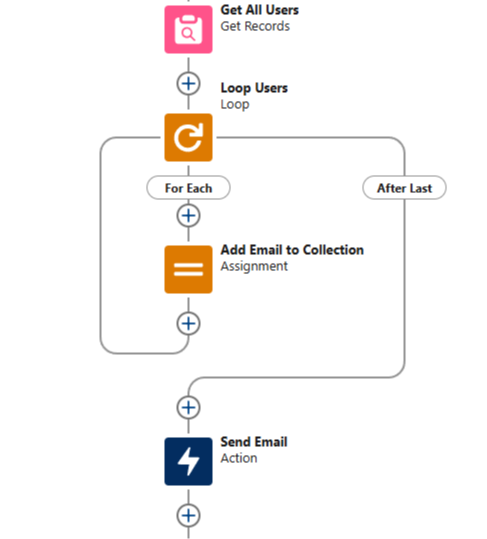
Prior to working with the transform element, this scenario would require a different approach. I'd use a Get Records to find all the users, then loop through the users and add their emails to a collection variable.

Then we'd use the send email action and include the collection variable of email addresses in the recipient list.

Something like this:


The Transform element simplifies this dramatically.

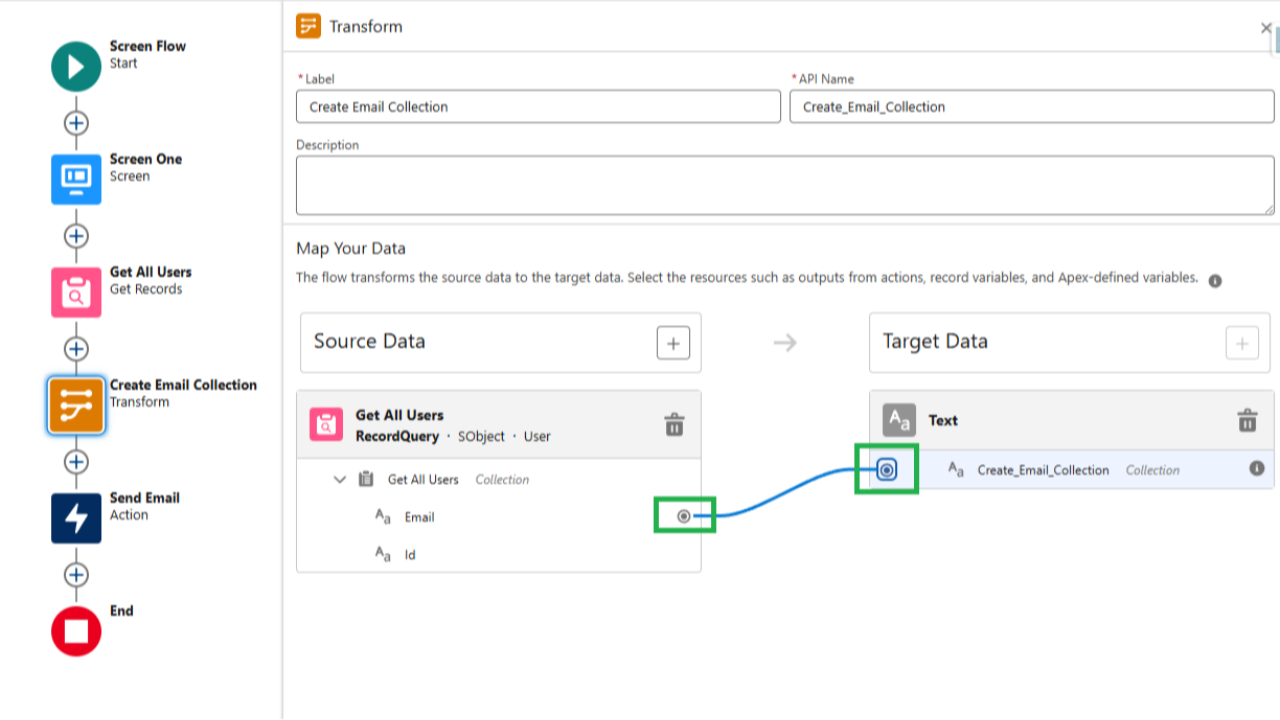
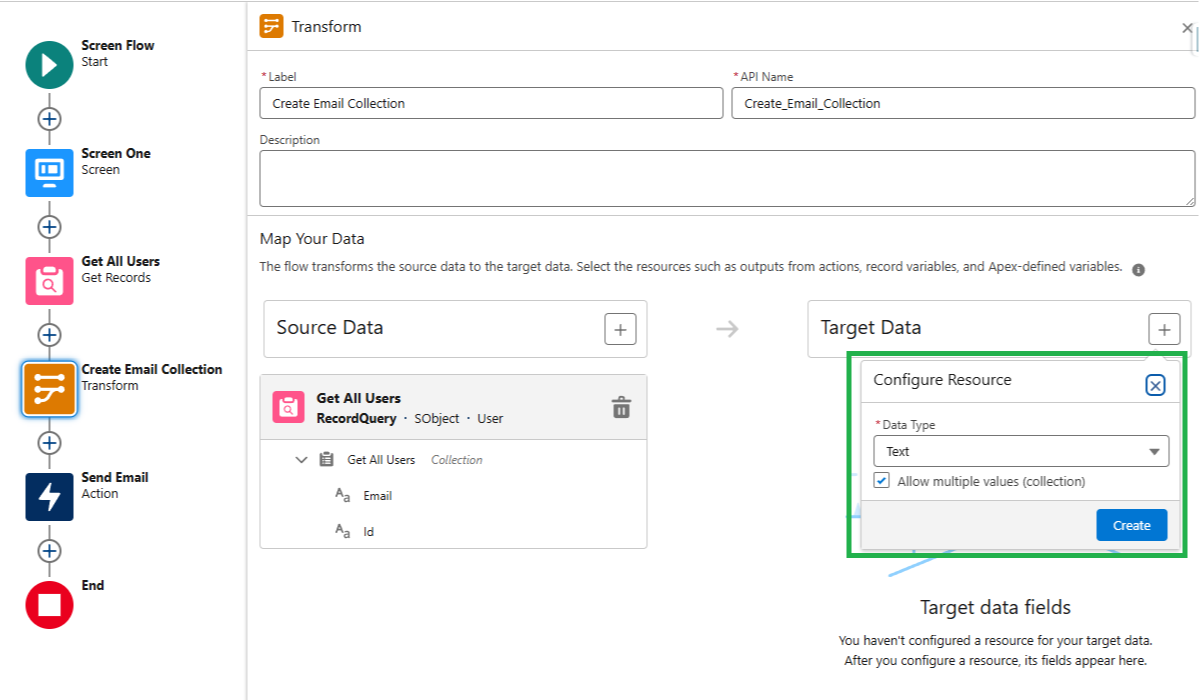
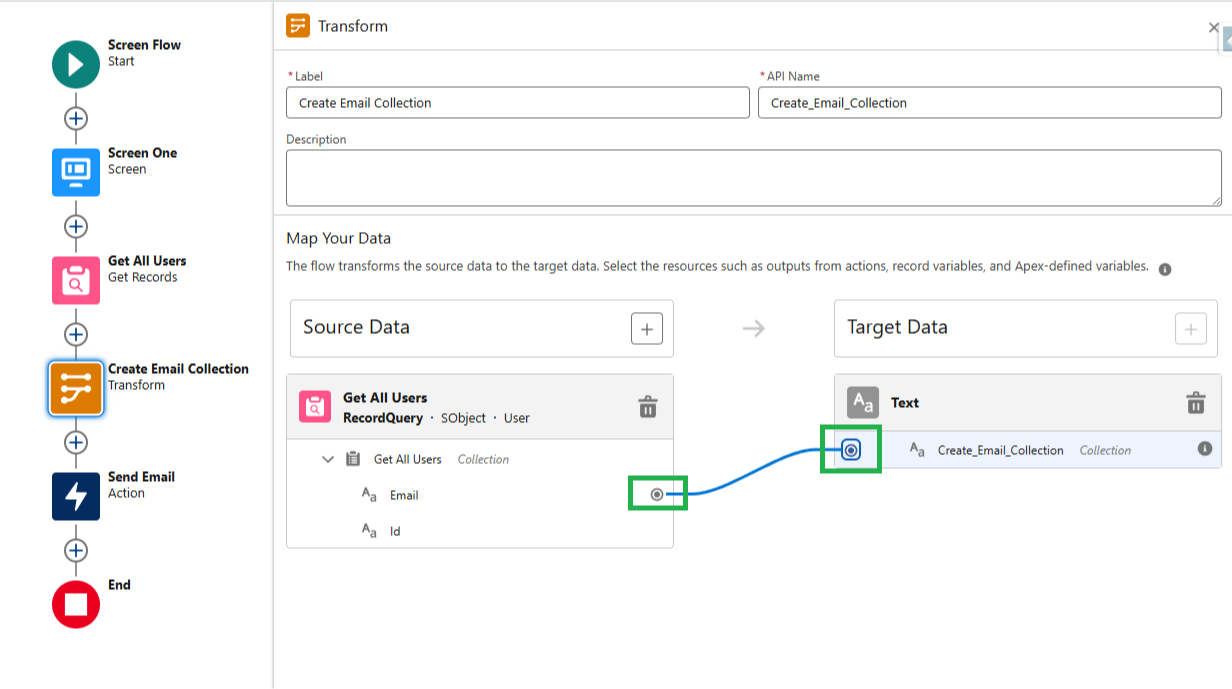
By dropping a transform element into the flow we can specify a source data collection, in this case our Get All Users get element.

And we're able to create a new collection variable with any data type we like.


Then we simply click one of the fields from our source collection (Email for example) and map it to the newly created collection in our Transform Element.

When the flow runs, the Transform element will automatically take every email from the Get All Users source collection, and put it directly into the collection we just made inside the Transform Element.


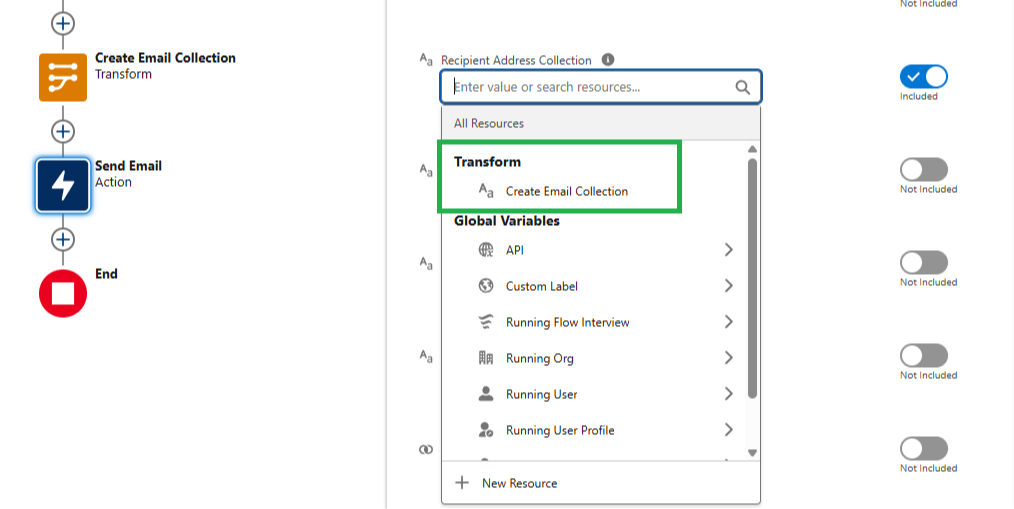
Then, in our Send Email action, we can directly reference the collection from the Transform Element to send out the email to the right user email addresses.

No need to create a loop, an assignment, or a collection variable — the transform element handles it all for you.

Cool!


And that's it for this week!


Hope you find it helpful :)


Best,

Nick