⚡How to Make Dynamic Salesforce Record URLs⚡

Sometimes, in a Salesforce Flow, we need to email an end user a link to a record in Salesforce.

One way to do that inside a Flow is by manually creating the link to the Salesforce record in the body of the email.

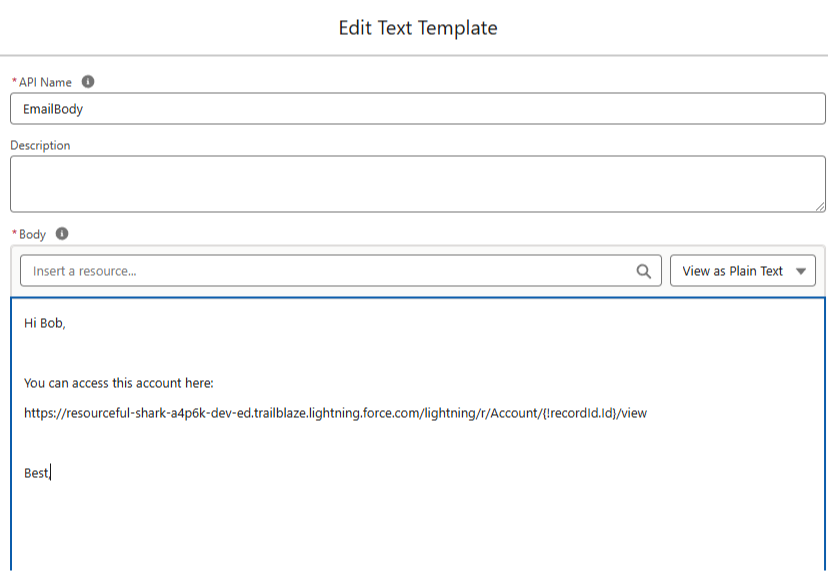
You can do that by copy and pasting your Salesforce environment's URL directly into the EmailBody resource and inserting the RecordId as a Flow Resource.

Like this:


This approach does work, but when you move your Flow from a lower sandbox environment to higher sandbox environments (or to production), it means you need to recreate your URL in each environment.

And if a production Flow ever goes back down to sandbox (say after a sandbox refresh) the URLs are broken again.

Can we do this dynamically instead?

Yes!

Salesforce has a built in Global Variable that contains a URL to the current environment.

Its meant to be used with API calls, but we can take the global variable, and apply some formula functions to find the current environment URL.

Then we can use that URL anywhere we like.

Let's break it down.

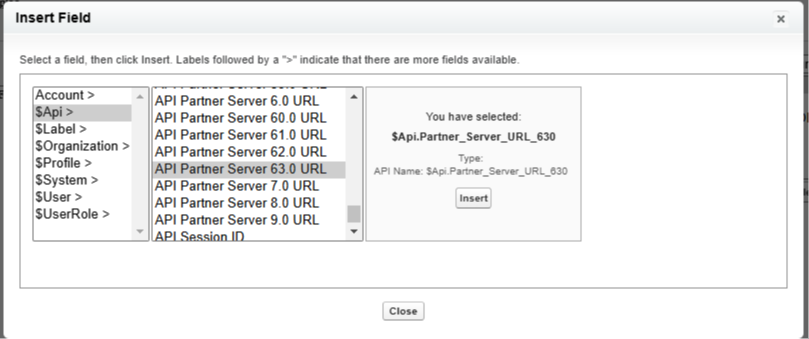
First, this is the global variable that has your environment URL:


In the formula field editor (in flows or fields) you can use the $API global variable to find the API Partner Server XX.X URL

XX.X stands for the current API version which is 63.0 or 630 as of this writing.

You'll want to choose the highest number which corresponds with the most recent API version.

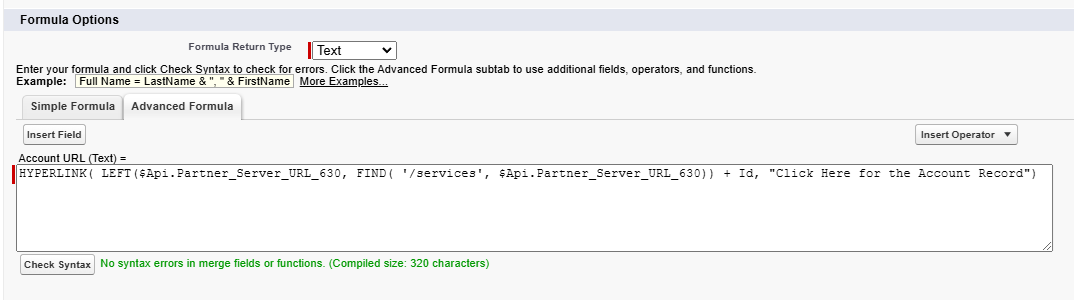
We insert the API global variable into our formula. It actually returns a longer URL than we need with extra stuff in it (which we don't want).

To clear the "extra stuff" out, we use the FIND() function to find out where the "extra stuff" begins.

Then we use a LEFT() function to return everything to the LEFT side of it in the URL.

Finally we concatenate the Record ID of the record we want to the end of the formula to create a normal Salesforce record URL.


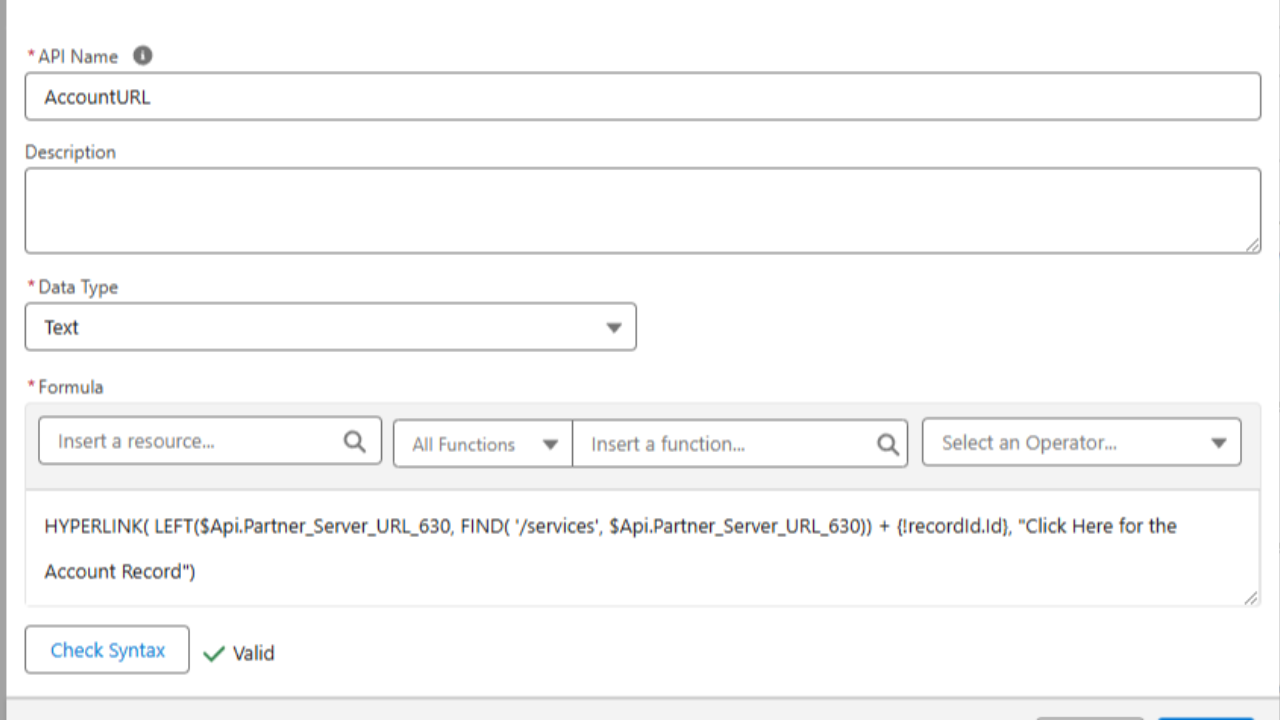
Note: This exact same formula works in the Flow Builder, you just need to change it to use a flow variable for the Id rather than the formula editor Id shown in the screenshot above.

Here's the formula from above:

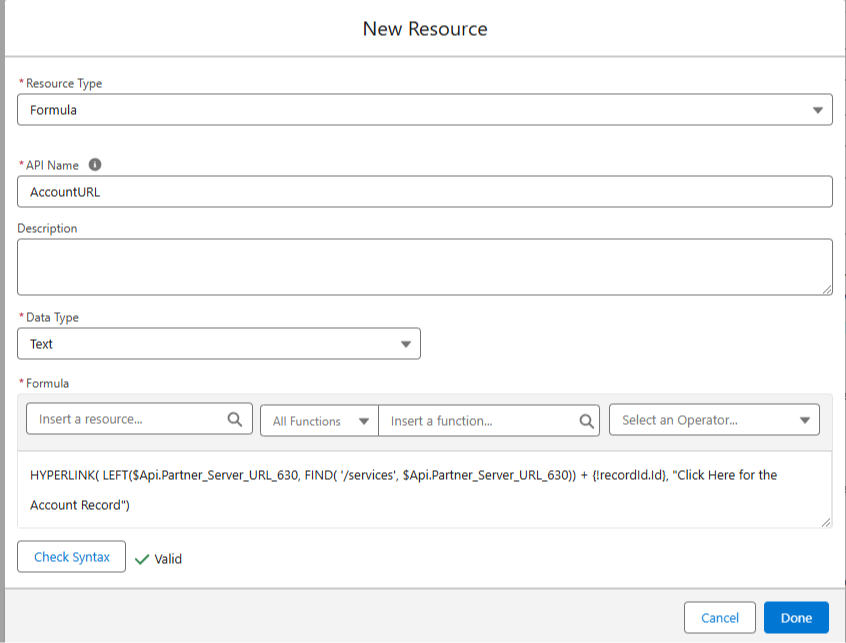
HYPERLINK( LEFT($Api.Partner_Server_URL_630, FIND( '/services', $Api.Partner_Server_URL_630)) + Id, "Click Here for the Account Record") 

Below you can see the same thing in the Flow Formula editor:


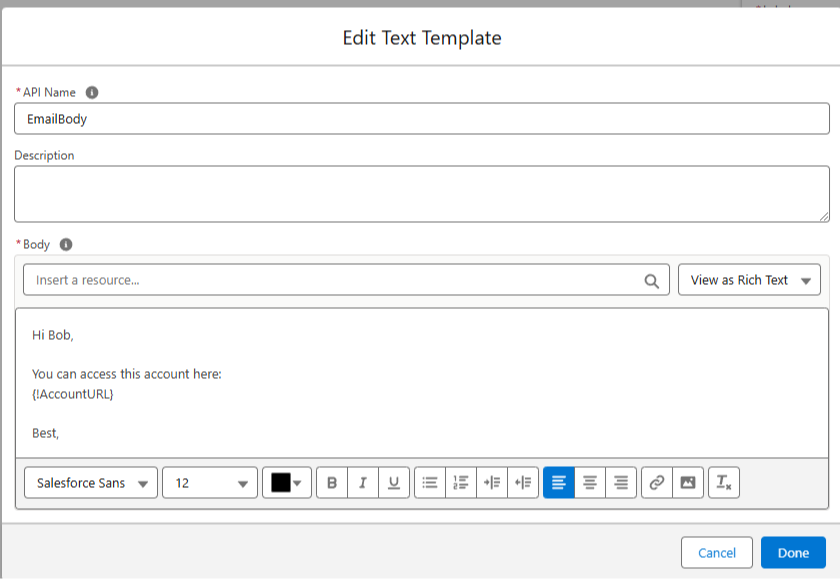
With our formula built, we can add it to an EmailBody in text template configured for Rich Text:


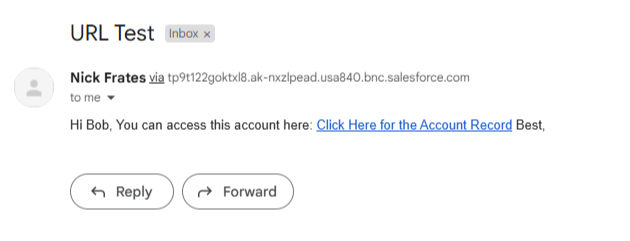
And when the email goes out, it will include a clickable URL for the current environment to your record!


No more broken URLs!

You can set this up once and it's good to go for a long while.

I was reminded of this solution this week and thought I'd share.

Hope it helps!

Best,

Nick