πŸš€ Salesforce Flow Docs, Done Instantly (No More Manual Work)

Manually documenting Salesforce Flows sucks.

What if you could do it in one click?

Introducing the Flow Documentation Generator πŸŽ‰πŸŽ‰


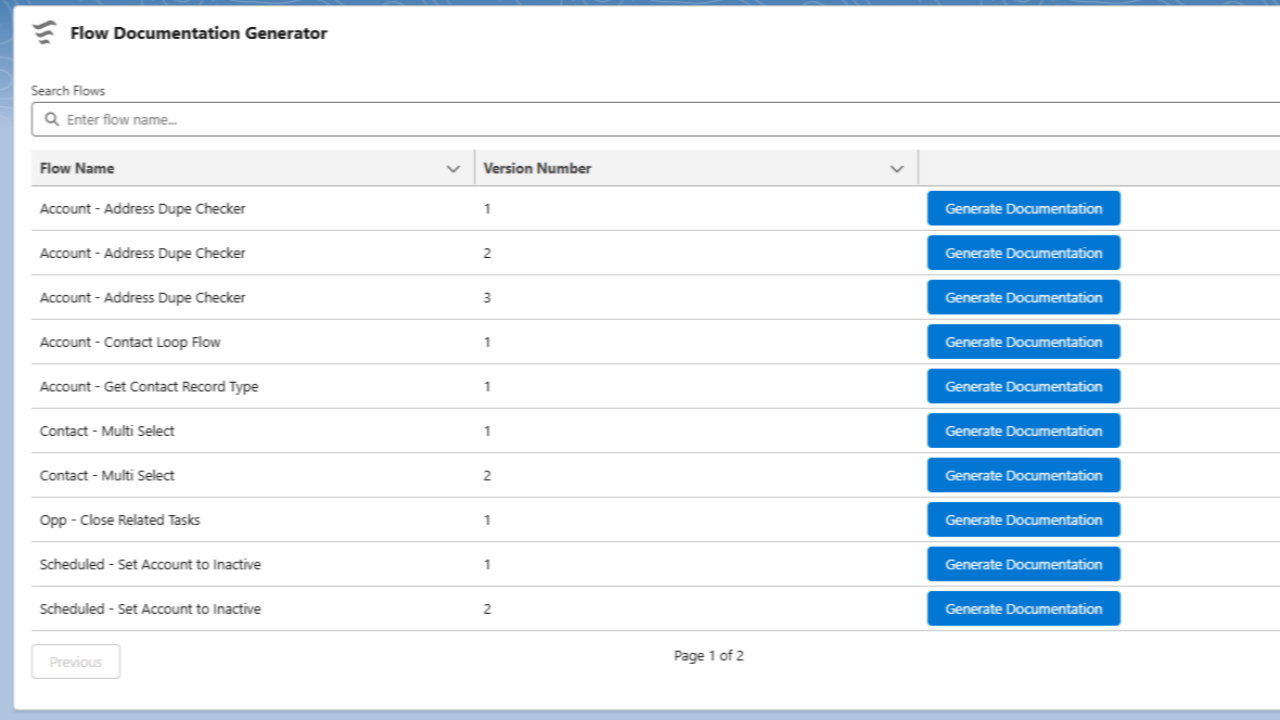
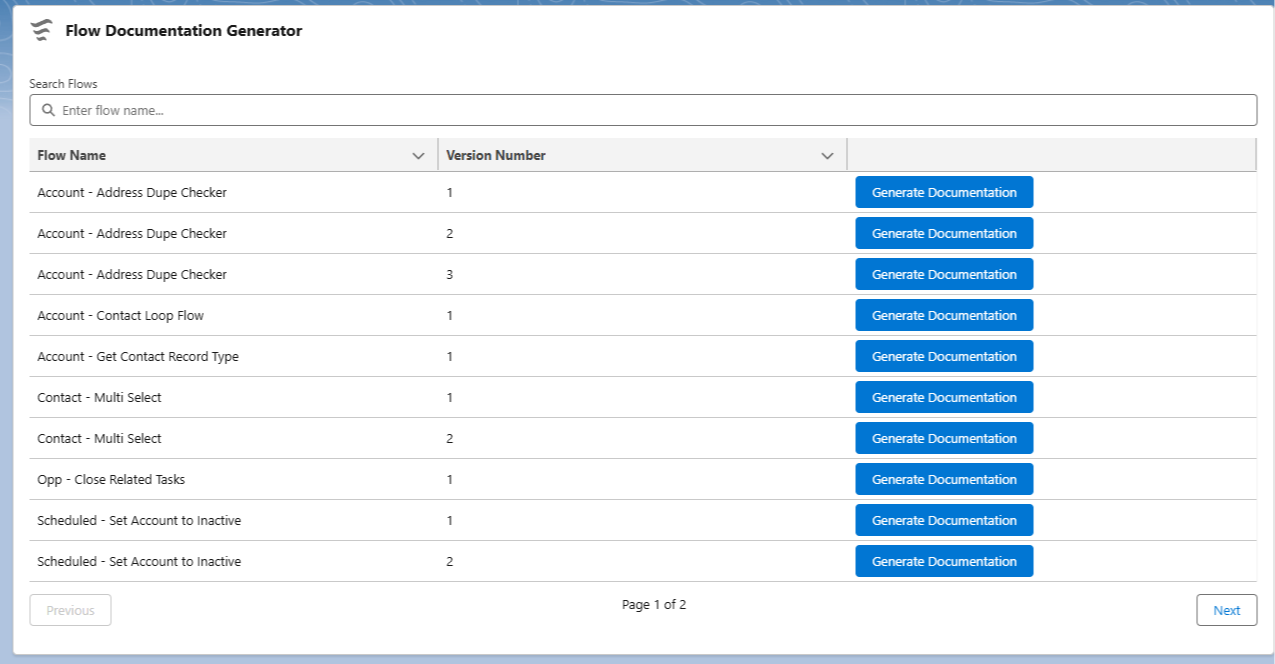
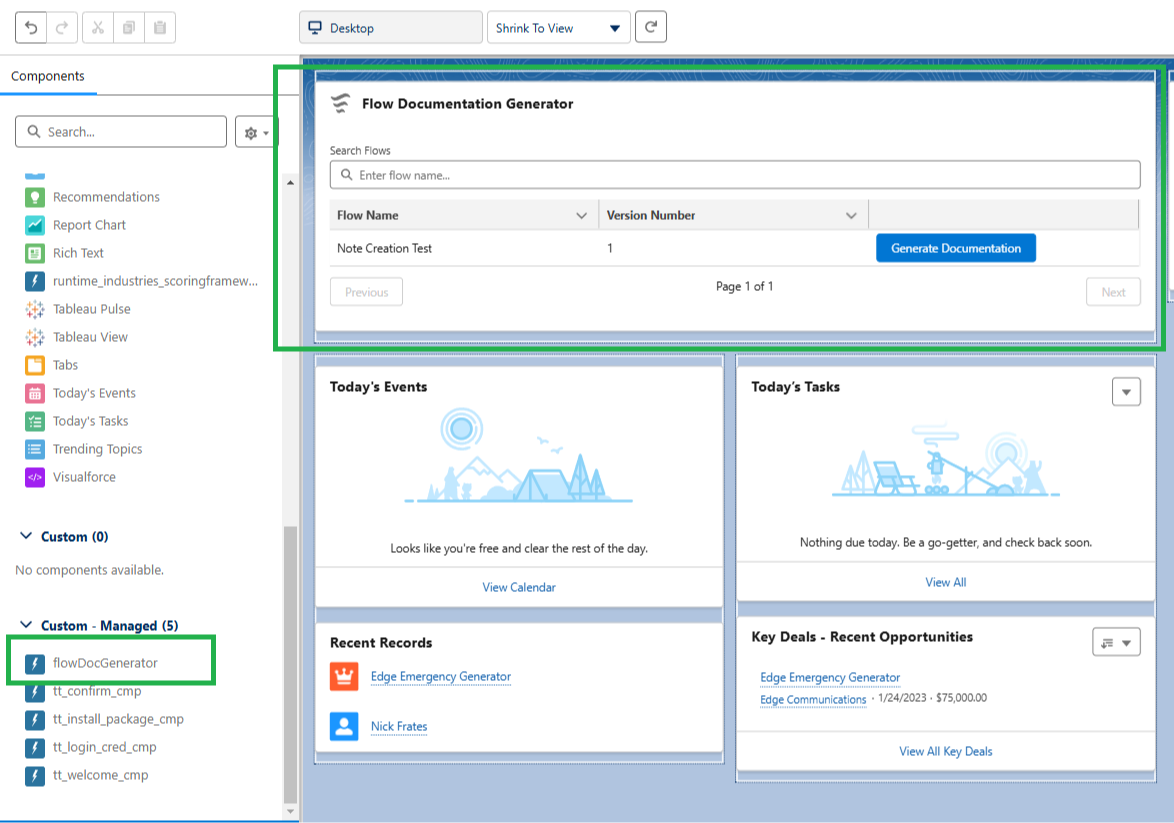
This is a Lightning Web Component (LWC) that shows a searchable list of the Salesforce Flows you've built in your environment.

Next to each flow is a button labeled "Generate Documentation".

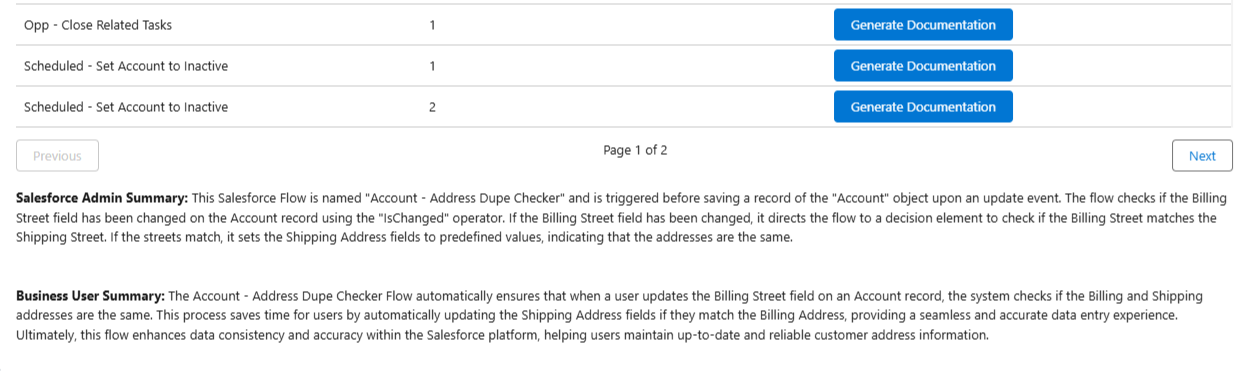
When you press the button, the LWC sends the Salesforce Flow directly to ChatGPT, which then sends a simple summary of what the Flow does back into Salesforce and shows it in the component.

It actually sends two summaries, one meant for a Salesforce admin and one meant for a business end user.


Since this is the first version I built, the functionality is really simple.

The prompt we send to ChatGPT is very basic, and the model we're using is the 3.5 turbo model, the cheapest and least powerful one.

This is the actual prompt, written directly into the API Call:

"You are an expert in documenting Salesforce flows. Given a flow configuration, produce a concise two-paragraph summary in HTML format. The first paragraph must start with <b>Salesforce Admin Summary:</b> and should simply describe the high level technical details for a Salesforce admin, all wrapped in <p> and </p> tags. The second paragraph must start with <b>Business User Summary:</b> and explain the overall purpose and business value for end users, also wrapped in <p> and </p> tags. Separate the two paragraphs with <br/><br/> and output exactly two paragraphs with no extra text."

As you can see we're not asking for much from ChatGPT, so the summaries tend to be straightforward.

But the future potential to do more is definitely "there".

  • We could spend more $ on compute to get the latest model with better logic and reasoning
  • We could make the prompt customizable so an admin could send better instructions with every request
  • We could cache the model responses and expand the context window so that the model could build a flow and troubleshoot with you in real time

I think its cool.

And definitely cheaper than the current Salesforce AI Flow offerings.

Would you like to try it? 100% free.

I packaged the whole thing so that you can install it into a Trailhead, Sandbox, or scratch org.

Use this link:

https://login.salesforce.com/packaging/installPackage.apexp?p0=04tDn000000Ry3A

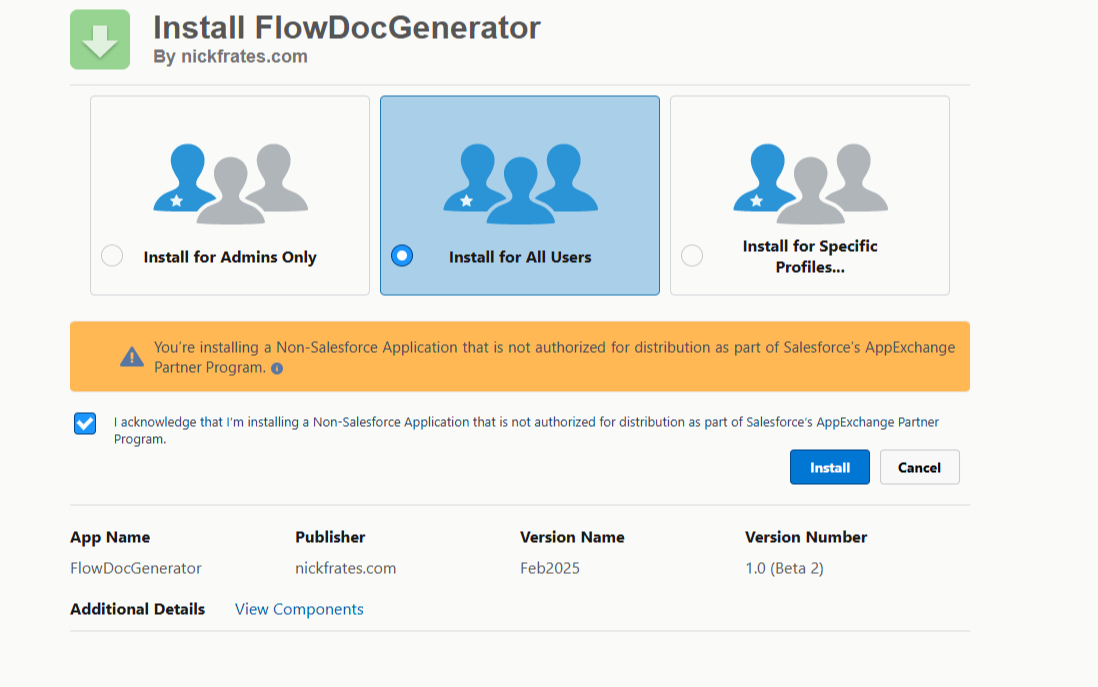
When you go to install in your environment you'll be prompted to choose for Admins or All Users. Choose all users:


It'll ask you to Approve Third-Party Access to the ChatGPT AI site api.openai.com. To use the package you'll need to grant access.

Once installed, open up the Lightning App Builder on any Home, Record, or App Page and drag the component onto the screen and press Save.


Then simply open the page you put the component on and press the button for the Flow you want to document.

The summaries will appear below the list of Flows.

A few other things to know:

  • This is a beta package. Beta packages can only be installed in scratch, sandbox, or Developer Edition orgs 
  • Your Flow data is sent to OpenAI, the company who built ChatGPT
  • The LWC only looks at data inside a Flow (the get records, decisions, assignments etc.)
  • No record data (accounts, contacts, etc.) in your Salesforce environment are queried
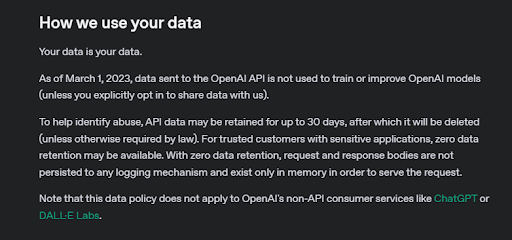
  • OpenAI says they don't store your data (scroll almost to the bottom at this link). I also put a screenshot below
  • Just in case, I'd recommend not sending anything sensitive. For example don't hardcode real customer data like First Name, Last Name, and Birthdate into a Flow Get Element and then ask the component to Document the flow
  • I believe this package is totally safe β€” but don't install it in your company environment if it would get you in trouble


One more thing, each time you press the Generate Documentation button, ChatGPT logs how many tokens (characters of text) are being used.

After a million tokens, I personally get charged $.

I loaded up the API Key used in the callout with $25 of compute, but after we hit the quota, the component will stop working.

I have no idea if $25 of compute will go fast or slow if the 600 people who read this newsletter all start documenting flows.

If no one uses this component, it'll last a long time!

But if only 20% of readers start documenting like crazy we might blow the budget quick β€” so if you're interested in trying the component don't wait.

And on a final note, feel free to send any feedback to me by replying to this email.

If enough people find this useful, we could do more with itβ€”smarter AI, interactive debugging, and more. Your feedback could shape what comes next.


Best,

Nick